



Download Ashampoo PDF Pro 4 – PDF editing, PDF creation, PDF conversion, PDF security, OCR, text recognition, document management
Overview
Ashampoo PDF Pro 4 is a comprehensive desktop software designed to redefine how users interact with PDF files on Windows. Built for both everyday users and professionals, it offers a robust suite of tools that go beyond basic viewing, enabling full-featured editing, conversion, and secure handling of documents. The app addresses common pain points in document workflows—such as the inability to edit PDFs directly, the need for format conversion, and concerns over data privacy—by providing an integrated, intuitive platform for managing digital content.
Its ability to treat PDFs like editable documents makes it a powerful tool for students, office workers, legal professionals, and anyone who regularly handles digital paperwork. The software supports seamless transitions between digital and physical formats, allowing users to convert paper documents into editable files and vice versa. With built-in security features and advanced text recognition, Ashampoo PDF Pro 4 plays a critical role in modern document management ecosystems.
The developer, Ashampoo, is known for delivering reliable, user-focused software solutions in the productivity space. Although the developer did not provide additional technical details, the app’s functionality suggests a mature, well-optimized product tailored for real-world use. It stands out in the crowded PDF tool market by combining editing power with ease of use and strong security protocols.
Key Features & Functionality
- Intuitive PDF Editing: Users can edit text, fonts, colors, and layouts within PDFs as if working in a word processor. This allows for quick corrections, content updates, and customization without needing to recreate the document from scratch.
- Powerful Conversion Tools: The software supports conversion between PDF and multiple formats, including Microsoft Word, RTF, HTML, EPUB, and JPEG. This enables content reuse across platforms and ensures compatibility with various workflows.
- Advanced Security Features: Documents can be encrypted using AES standards, sensitive content can be redacted, and digital signatures can be applied to verify authenticity and prevent tampering.
- OCR and Text Recognition: Scanned documents are processed automatically using OCR, extracting text for editing, searching, or repurposing. This feature is essential for digitizing archives and improving accessibility.
- User-Friendly Navigation: Tabbed interface allows quick switching between open files, while side-by-side page views and enhanced thumbnails improve document comparison and organization.
These features are especially valuable in environments where time efficiency and accuracy are critical. For example, a legal assistant can redact confidential details from a scanned contract, apply a digital signature, and convert the file to Word for internal review—all within a single interface. Similarly, a student can extract text from a scanned textbook page, edit it for notes, and convert it into a study document. The seamless integration of editing, conversion, and security tools makes Ashampoo PDF Pro 4 a central hub for document handling.
Interface, UX & Performance
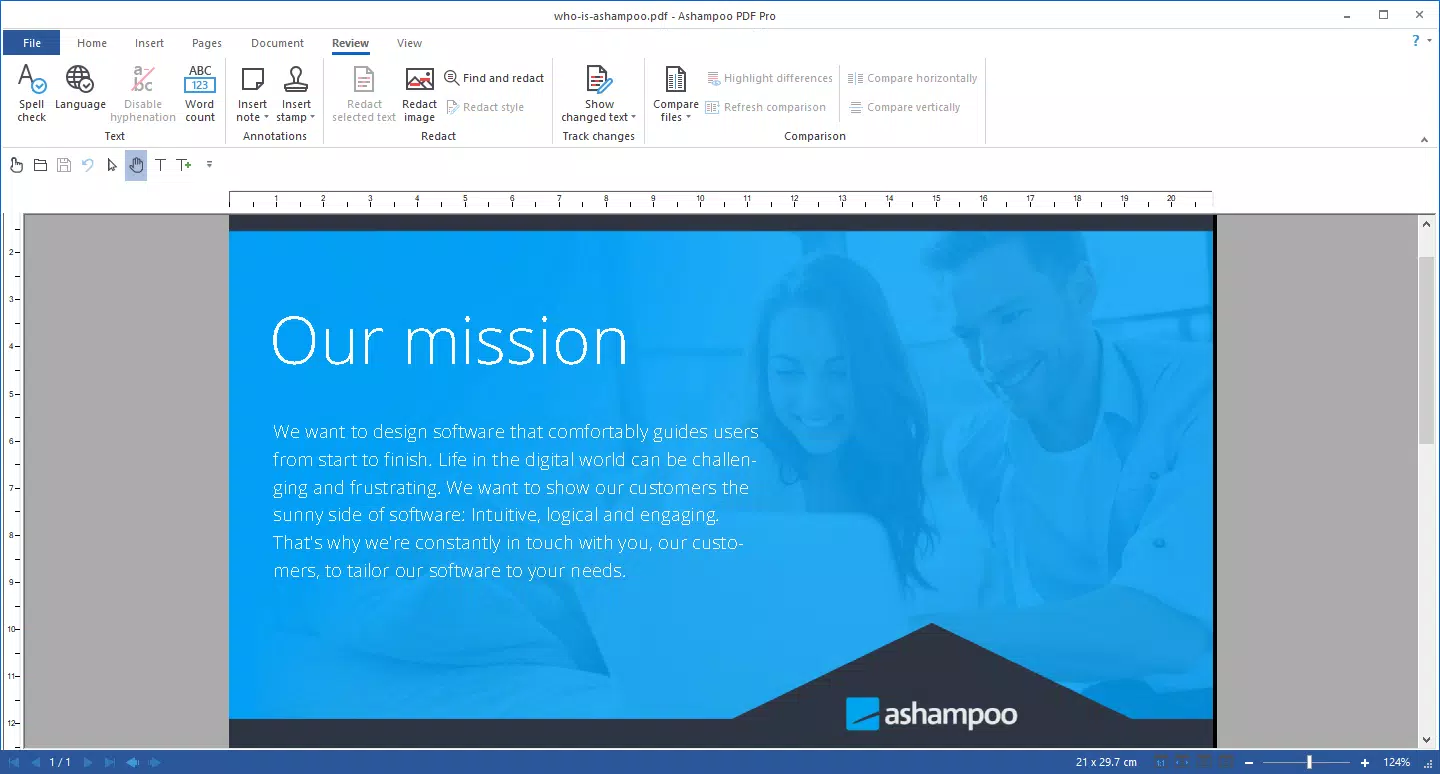
The user interface of Ashampoo PDF Pro 4 is designed with clarity and efficiency in mind. It features a clean layout with well-organized toolbars, tabbed document windows, and intuitive icons that reduce the learning curve for new users. Navigation is smooth, with multiple viewing modes and a responsive layout that adapts to different screen sizes.
The tab system enables efficient multitasking, allowing users to manage several documents simultaneously, much like using a web browser. Enhanced thumbnail navigation supports quick access to specific pages, improving workflow speed when reviewing lengthy files. Although the developer did not list formal performance metrics, the software is designed to handle large files and complex edits with minimal lag.
Users can expect stable operation across mid-range and high-end Windows systems. Responsiveness remains consistent even when processing scanned documents with OCR, suggesting optimized backend processing. Stability is further supported by the absence of reported crashes or freezes in official release notes.
The app maintains a consistent experience across different device categories, though specific hardware requirements were not disclosed. Overall, the UX prioritizes usability without sacrificing functionality.
Platform Compatibility & Technical Requirements
Ashampoo PDF Pro 4 is available exclusively for Windows, making it compatible with the latest versions of the Windows operating system. The software has a file size of 383.4 MB, which reflects its comprehensive feature set and integrated tools. The developer did not specify minimum OS requirements, nor were any specific hardware demands listed.
It is recommended for users running modern Windows systems, though compatibility with older versions was not confirmed. The app is not available on mobile platforms such as Android or iOS, and no information about cross-platform synchronization or cloud integration was provided. Users should ensure their system meets general desktop software standards to run the application smoothly.
The lack of detailed technical specifications means that installation and performance may vary depending on individual system configurations. However, the software’s size suggests it includes all necessary components for offline use, reducing dependency on external services.
Pros and Cons
Pros
- Full-featured PDF editing capabilities resembling word processors
- Supports conversion to and from multiple file formats
- Advanced security with AES encryption and redaction tools
- OCR functionality for scanned document digitization
- Intuitive tabbed interface and enhanced navigation features
Cons
- Not available on mobile platforms (Android or iOS)
- No publicly disclosed system requirements
- Price point may be high for casual users
- Limited information on cloud or cross-device support
- Requires Windows operating system only
FAQ
Is Ashampoo PDF Pro 4 secure for handling sensitive documents?
Yes, the software includes advanced security features such as AES encryption, redaction tools, and digital signatures, ensuring that sensitive data is protected from unauthorized access and tampering.
Can I edit text in scanned PDFs using Ashampoo PDF Pro 4?
Yes, the built-in OCR (Optical Character Recognition) feature enables text extraction from scanned documents, allowing users to edit, search, and repurpose the content as needed.
Does Ashampoo PDF Pro 4 support mobile devices?
Currently, the app is only available for Windows and does not support Android or iOS platforms. There is no information about mobile versions or companion apps.
How do I update Ashampoo PDF Pro 4?
Updates are typically distributed through the official Ashampoo website or the software’s built-in update mechanism, if available. Users should check the developer’s site for the latest version.
Is Ashampoo PDF Pro 4 suitable for professional use?
Yes, with its advanced editing, conversion, security, and OCR tools, the software is well-suited for professionals in fields such as law, education, publishing, and business who require reliable and secure document management.
Final Thoughts
Ashampoo PDF Pro 4 stands out as a powerful, all-in-one solution for users who need more than basic PDF viewing. Its ability to edit, convert, secure, and recognize text in documents makes it a versatile tool for both personal and professional workflows. The intuitive interface and tabbed navigation enhance productivity, while robust security measures ensure data integrity.
Although it is limited to Windows and lacks mobile availability, its comprehensive feature set justifies its price for users who rely heavily on document manipulation. For anyone seeking a secure, efficient, and feature-rich PDF experience, Ashampoo PDF Pro 4 delivers significant value. Download Ashampoo PDF Pro 4 now.


